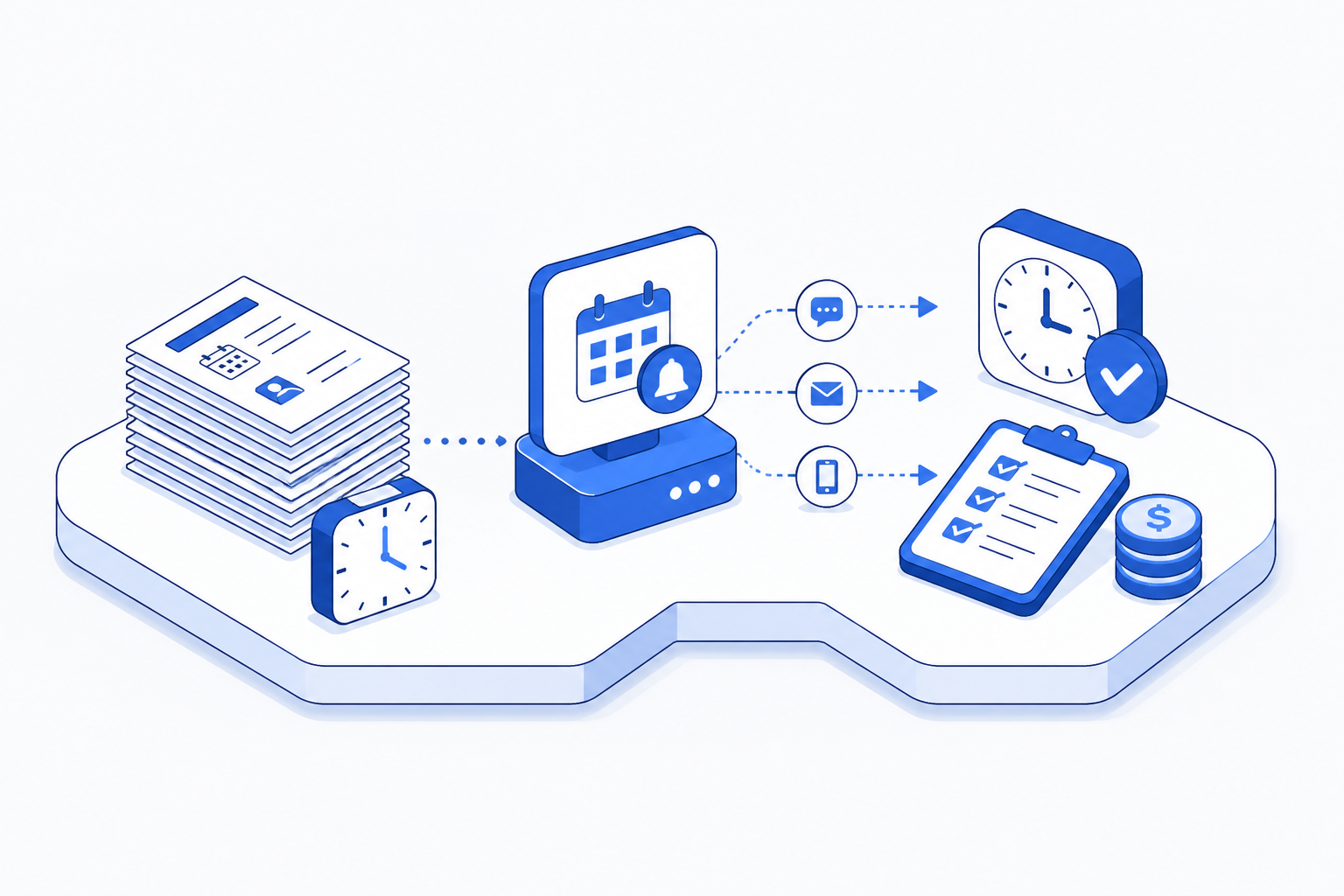
The essentials
No-shows are a failure mode in the reminder system
Automated patient reminders exist to solve a problem that reaches back into how manual reminders work. A patient books an appointment on a Tuesday for four weeks out. In a manual reminder process, someone has to remember to call or email them three days before. If that person is out, or the list gets buried, or the call goes to voicemail, the patient never hears the reminder. They forget. They show up 20 minutes late or do not show up at all. The practice loses the slot revenue, wastes the practitioner's time, and spends more time calling to reschedule.
This is not a communication problem. It is a scheduling problem. In aviation, this is called a single-point failure, one person missing one step causes the whole system to break down. The fix is not to hire someone to remember better. The fix is to remove the person from the critical path. When the reminder system runs automatically at the same moment every time, triggered by a date on the calendar rather than a person's attention span, the failure mode disappears.
Where the time actually goes in a manual reminder workflow
Most practices do not realise how much time no-show management consumes because it is spread across the week. A receptionist blocks 30 minutes every morning to call patients with upcoming appointments. When someone does not pick up, she leaves a voicemail and tries again later. For every appointment in the next week, she sends a text or email. For every no-show, she makes a follow-up call to reschedule. For every rescheduled appointment, she adds it to the calendar and reminds that patient again. Over a month, this adds up. FullSpec's reminder template maps the full workflow and shows exactly where the time fragments.
- Daily morning: call patients with appointments this week
- Afternoon follow-up: retry calls that went to voicemail
- Late afternoon: send text reminders to patients who did not answer
- No-show day: make follow-up call within 2 hours
- Next day: call rescheduled patient again as new reminder
- Calendar event triggers reminder at scheduled time
- Patient receives text 2 days before appointment
- Reminder resends to non-openers 24 hours before
- Patient confirms or reschedules through SMS response
- Rescheduled appointment auto-triggers new reminder sequence
How automation changes what the work actually is
Automated reminders do not eliminate the process. They relocate it. Instead of reactive daily calling, the work becomes template setup, monitoring, and exception handling. A practice manager sets up a reminder sequence once, text at 3 days before, follow-up text at 24 hours before, phone call if no confirmation 4 hours before. The system runs it for every appointment. When a patient confirms, she notes the confirmation in the system. When someone cancels, she marks the slot available. When a no-show happens, the follow-up reminder fires automatically, but the reschedule conversation is now just a phone call instead of a hunt through the schedule.
This is a shift from time-fragmented firefighting to structured batch work. The front desk team moves from being interrupted 50 times a day to managing one coherent workflow. The work still exists. It is just arranged differently, and arranged work uses less time than interrupted work.
Monthly hours spent on manual reminder work
The cost math that matters
A typical 6-practitioner dental practice sends roughly 250 appointment reminders per month. In a manual system, that is 3 minutes of work per reminder on average, a call, a text, a callback to confirm, or a follow-up after a no-show. Some reminders are simple. Some are not. The average is 3 minutes. Over 250 reminders, that is 750 minutes or 12.5 hours per month. At a front office staff rate of $55 per hour, that is $687 per month in labour. Add the cost of no-shows, a typical no-show costs $150 in lost revenue, and a 32 percent reduction means 80 fewer no-shows per year, or $12,000 recovered. The automated system uses 2 hours to set up, 15 minutes per month to monitor. That is $157 per month in labour, plus perhaps $50 per month in software cost if the practice uses a dedicated reminder tool. The saving is not marginal.
Automated cost includes 15 min monthly maintenance at $55/hr plus $50 software fee. Does not include avoided no-show cost of $12,000 per year.
Setting up automated reminders
The setup takes planning, not complexity. A practice needs a system that can read the appointment calendar, time a reminder sequence, and handle responses. Most appointment systems have this built in now, or can connect to a tool that sends reminders triggered by calendar events. The practice defines the reminder template, what the patient sees, when they see it, what happens if they do not respond. Then the practice runs it.
See how automated patient reminders could save your practice 5 hours a week.
Map this automationReady-made automations for this process
These templates map the steps above end to end, so you can hand one to a developer instead of building from scratch.
Deciding whether your practice is ready
Not every practice needs the same reminder strategy. Some need SMS only. Some run phone confirmations because their patient base prefers it. Some have very high appointment confirmation rates already and do not need aggressive reminders. The readiness score below looks at four signals, how broken the no-show problem is, how well reminders fit the patient population, what the automation would actually improve, and what hidden overhead exists in the current system.
Why this automation actually sticks
Automation fails when the problem it solves is not acute enough or when the team does not understand why the system works. Automated reminders stick because they solve a problem the practice feels every day, and because the improvement is visible immediately. In week one, the front desk person notices she is not making reminder calls in the morning. In week two, the no-show count drops. In month one, the calendar is more full because cancelled slots get filled faster. The saving is not theoretical. It is in the schedule.
Why automated reminders work for practices
No person has to remember to send a reminder. The system sends it at the exact time every time.
Front office stops being interrupted and starts managing one workflow once per day or week.
Automated sequences remind patients 3 days, 1 day, and 4 hours before. Manual reminders cannot compete.
Faster reschedule after no-shows means the slot fills again in days instead of weeks.
Your first steps
Start by measuring what you have now. Track for two weeks how many reminders the front desk sends, how long each takes, and what your no-show rate is. That baseline shows you the prize. Then map out the reminder touchpoints your practice actually needs, a text 3 days before, a call 24 hours before, a rescheduling reminder after a no-show, whatever fits your patient population. Look at your appointment system to see what reminder tools it includes natively, and what you would need to add. Most practices find the setup takes less than a day. The work starts paying back within a week.
Frequently asked questions
Some patient populations prefer voice calls, and some do not check SMS. Start with a mix, text as the first touchpoint, phone call if no SMS response after 24 hours. You can adjust the sequence based on what your patients actually respond to. The system learns fast.
Explore more Chiropractic and osteopathy clinics automations
See how other businesses map it:
James worked in operations consulting for a decade, mapping how information moves, and fails to move, inside law firms, healthcare practices, and compliance-heavy organisations. He writes about process, systems, and the specific points where things quietly go wrong.